

How to Fix “No Location Found” on Find My Friends
Find My Friends — now integrated into Apple’s Find My app — is one of the most convenient ways to keep track of family and friends. Whether you’re coordinating meetups, checking on a child’s safety, or simply staying connected, real‑time location sharing is incredibly useful.
But sometimes, instead of a location, you see the dreaded message:
“No Location Found”
If this error keeps appearing, don’t panic. You’re not alone — and the good news is that it’s usually easy to fix.
This guide explains:
- What “No Location Found” actually means
- How it differs from “Location Not Available”
- Why the error appears
- Step‑by‑step fixes
- How to make your location show as “No Location Found”
- How SpyZee can help families locate Android devices safely
What Does “No Location Found” Mean on Find My Friends?
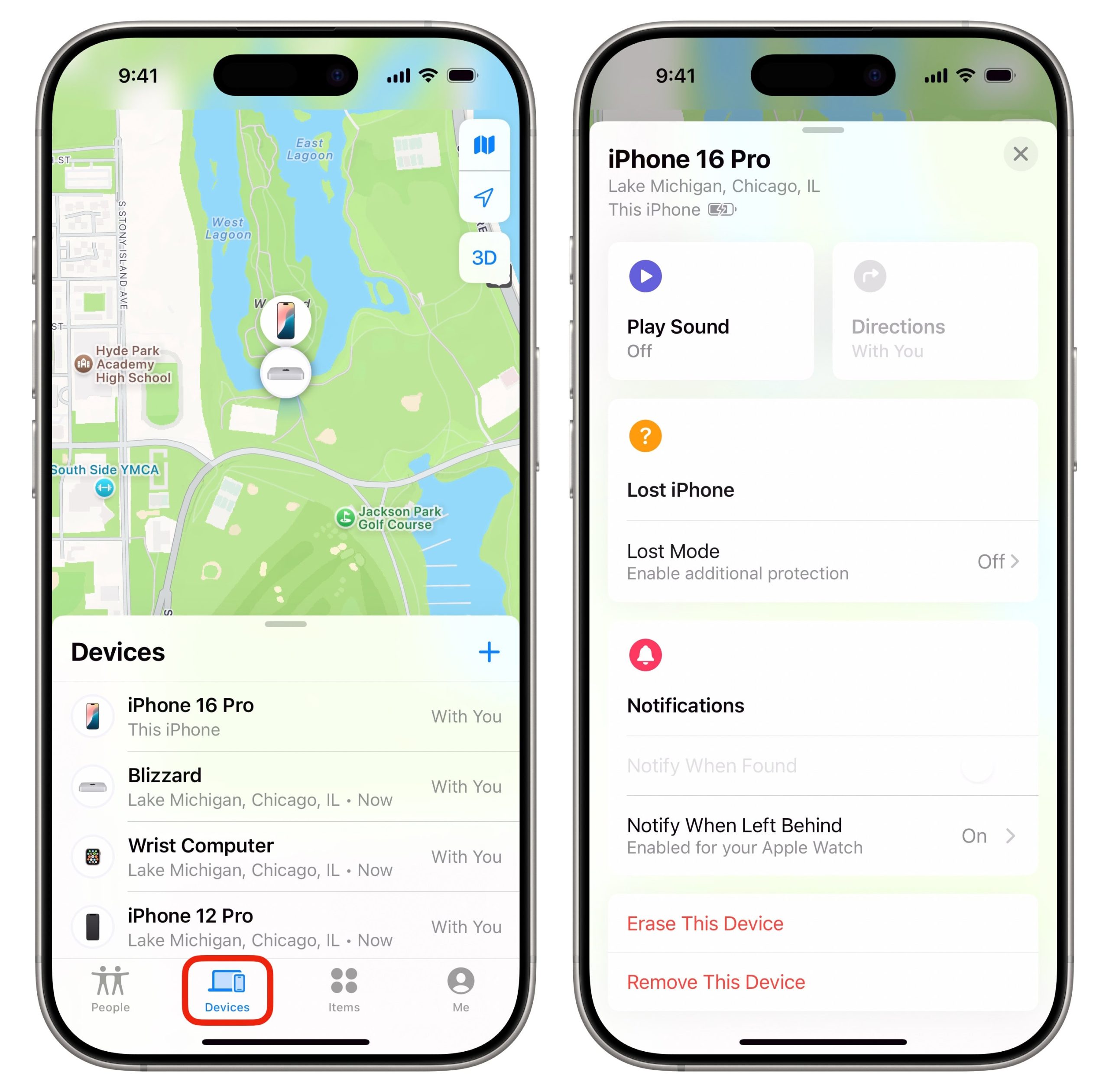
When you see No Location Found, it means the app cannot retrieve the GPS coordinates of the person you’re trying to locate. This does not mean they stopped sharing their location.
Does “No Location Found” mean they turned off location sharing?
No. This message usually appears because the device cannot send or receive location data — not because the person intentionally hid their location.
“No Location Found” vs. “Location Not Available” — What’s the Difference?
These two messages look similar but mean different things.
1. “No Location Found”
- The device is offline
- No internet connection
- GPS cannot be accessed
- Location services may be disabled
- Date/time may be incorrect
This message means the app cannot retrieve any location data.
2. “Location Not Available”
- The device is online
- GPS is trying to determine the location
- The app is still searching
This message means the app is attempting to find the location but hasn’t succeeded yet.
Why Does Find My Friends Say “No Location Found”?
Here are the most common reasons:
1. Incorrect Date & Time Settings
Find My relies on accurate time synchronization. If the device’s date or time is wrong, location sharing may fail.
2. No Internet Connection
Both devices must have:
- Wi‑Fi
- Cellular data
- Or a stable network connection
Without internet, GPS data cannot be shared.
3. Location Services Are Disabled
If the person turned off Location Services, Find My cannot access GPS data.
4. “Hide My Location” Is Enabled
If the user enabled Hide My Location, their device will appear as unavailable.
5. Not Signed In to Find My
If the person is logged out of their Apple ID or Find My, location sharing stops.
6. Technical Glitches
Temporary bugs, outdated software, or system errors can interrupt location sharing.
How to Fix “No Location Found” on Find My Friends
Below are all the proven solutions, starting with the simplest.
1. Enable GPS & Location Services
If Location Services are off, Find My cannot retrieve GPS data.
Steps
Settings → Privacy & Security → Location Services → ON
Also enable:
Settings → Apple ID → Find My → Share My Location → ON
2. Fix Date & Time Settings
Incorrect time settings cause syncing issues.
Steps
Settings → General → Date & Time → Set Automatically
Make sure the time zone is correct.
3. Check “Share My Location” Settings
The person you’re trying to locate must have sharing enabled.
Steps
- Open Find My
- Tap Me
- Enable Share My Location
4. Reset Location & Privacy Settings
If settings are corrupted, resetting them may help.
Steps
Settings → General → Transfer or Reset iPhone → Reset → Reset Location & Privacy
This restores default permissions.
5. Check Apple’s System Status
Sometimes the issue is on Apple’s end.
Steps
Search for Apple System Status → Check Find My
- Green = working
- Yellow/red = outage
If Find My is down, wait until Apple resolves the issue.
6. Update the Device
Outdated software can cause location errors.
iPhone/iPad
Settings → General → Software Update
Mac
Apple Menu → System Settings → Software Update
Install any available updates.
7. Restart Both Devices
A simple restart often fixes temporary glitches.
How to Make Find My Friends Show “No Location Found” (Intentionally)
There are times when you may want to temporarily hide your location without alerting others or causing unnecessary concern. While Find My Friends is designed for transparency and safety, Apple does allow you to control your privacy.
Here are the safest and most discreet ways to make your location appear as “No Location Found”.
1. Turn On Airplane Mode
This is the simplest and fastest method.
What happens when you enable Airplane Mode
- Wi‑Fi turns off
- Cellular data turns off
- GPS becomes unavailable
- Your device appears offline
Result in Find My Friends
Your friends will see:
“No Location Found” or “Location Unavailable”
Steps
Swipe down → tap Airplane Mode or Settings → Airplane Mode → ON
This method is temporary and reversible.
2. Turn Off Location Services
Disabling Location Services prevents apps from accessing GPS data.
Steps
Settings → Privacy & Security → Location Services → OFF
Result
Find My Friends cannot retrieve your location and will display No Location Found.
3. Disable “Share My Location”
This hides your location without turning off GPS for other apps.
Steps
Settings → Apple ID → Find My → Share My Location → OFF
Result
Your friends will see your location as unavailable.
4. Turn Off Your iPhone
If your phone is powered off, Find My cannot update your location.
Result
Your device appears offline, and others will see No Location Found.
5. No Internet Connection
If you’re in an area with no Wi‑Fi or cellular data, your device cannot send location updates.
Result
Find My Friends shows No Location Found until the device reconnects.
Important Note on Privacy
These methods are legitimate and built into iOS. However, they should be used responsibly — especially if others rely on your location for safety.
Safe Android Location Tracking: SpyZee Family Locator
If you need to locate an Android device — whether for family safety or device monitoring — Apple’s Find My Friends won’t help.
This is where SpyZee fits naturally.
SpyZee is a parent‑safe, consent‑based family locator designed to help parents and guardians:
- View real‑time Android location
- Set geofencing alerts
- Monitor screen activity
- Filter unsafe content
- Manage screen time
- Receive notification previews
SpyZee does not hack devices or bypass permissions. It is a transparent tool built for digital safety and responsible monitoring.
Why SpyZee Helps in Location‑Related Situations
- You can see a child’s last known location
- You can receive alerts when they enter or leave safe zones
- You can check whether the device is online or offline
- You can monitor risky behavior that may lead to lost devices
SpyZee is not a replacement for Find My iPhone — but it is a powerful alternative for Android users.
Final Recommendations
The “No Location Found” error can be frustrating, but it’s usually caused by simple issues like:
- Disabled GPS
- Incorrect time settings
- No internet connection
- Apple server outages
- Outdated software
By following the troubleshooting steps in this guide, you can restore accurate location sharing quickly.
To prevent future issues:
- Keep Location Services enabled
- Ensure your device’s date/time is set automatically
- Maintain a stable internet connection
- Update your device regularly
- Avoid signing out of your Apple ID
- Restart your device occasionally
And if you need to locate Android devices or support family digital safety, SpyZee provides a reliable, parent‑friendly solution.
FAQ About iPhone Location
1. How do I know if someone stopped sharing their location with me?
If someone stops sharing, you’ll see “Location Not Available” or their icon disappears from the map. If you see “No Location Found,” it usually means their device is offline or unable to send GPS data.
2. Does “No Location Found” mean someone blocked me?
No. It usually means their device cannot send location data due to network or GPS issues.
3. How can I track a stolen iPhone that is switched off?
If you have iOS 15 or later and Find My Network enabled, Apple can show the last known location even when the device is powered off.
4. Why does Find My Friends keep showing “No Location Found”?
Common reasons include:
- No internet
- Disabled GPS
- Incorrect time settings
- Apple server issues
- Device is powered off
5. Can SpyZee track an iPhone?
SpyZee is designed primarily for Android devices. It cannot track an iPhone without proper permissions and does not bypass Apple’s security.
6. Can I hide my location without others knowing?
Yes. Airplane Mode, disabling Location Services, or turning off Share My Location will show No Location Found.
7. Why does my friend’s location freeze or stop updating?
This happens when their device:
- Loses internet
- Runs out of battery
- Has GPS disabled
- Is in a low‑signal area



Add comment