

Parents who want to understand their child’s messaging activity need clear, practical information about what SMS monitoring does, how it works on modern phones, and how to use it responsibly. This guide explains the SMS monitoring features commonly offered by parental control solutions such as SpyZee, walks through a responsible setup process, outlines real-world use cases, and answers common questions parents ask about legality, privacy, and technical limits.
What SMS Monitoring Covers
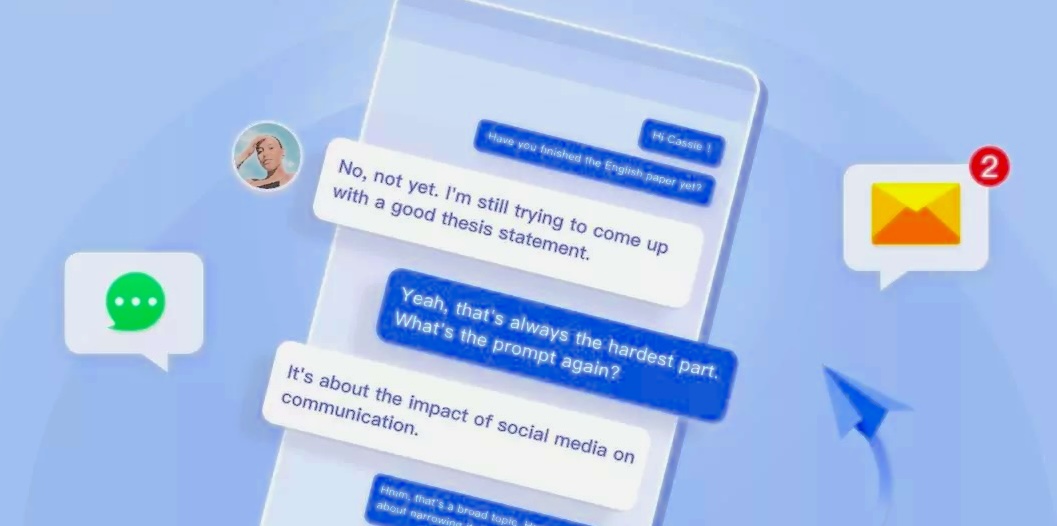
SMS monitoring refers to the ability to view text messages sent and received on a monitored device. Depending on the platform and the app’s permissions, monitoring can include:
- Standard SMS and MMS messages (sent and received through the device’s default messaging app).
- Message attachments such as photos or short videos sent via MMS.
- Timestamps and sender/recipient phone numbers for each message.
- Message threads presented in chronological order so parents can see conversation context.
SpyZee is one example of a parental control solution that lists SMS monitoring among its features. This guide treats SMS monitoring as one tool among many for keeping children safe and helping them develop healthy communication habits.
Why Parents Consider SMS Monitoring
Parents choose to monitor messages for several practical reasons:
- Safety and rapid response: If a child receives threatening or harassing messages, having access to message content helps parents assess risk and act quickly.
- Bullying and harassment detection: Monitoring can reveal patterns of repeated negative interactions that merit intervention.
- Age-appropriate boundaries: For younger children, parents may want to ensure messaging behavior aligns with family rules about contacts and content.
- Context for conversations: Seeing message threads helps parents understand who their child is communicating with and why, which can inform guidance and conversations.
Monitoring is most effective when paired with open communication and clear family rules about device use.
Legal and Ethical Considerations
Monitoring another person’s messages raises legal and ethical questions. Key points for parents to consider:
- Ownership and age: Parents generally have the right to monitor devices they own or devices issued to minor children in many jurisdictions. Laws vary by country and region, and rules differ for older teens and shared devices.
- Consent and transparency: Open conversations about monitoring build trust. Telling children what is monitored and why reduces conflict and helps them learn responsible behavior.
- Avoid covert surveillance: Instructions or techniques that bypass device security, intercept messages without permission, or exploit vulnerabilities are not appropriate. This guide does not provide methods for covert access.
- Local laws: Check local regulations about electronic monitoring and privacy. When in doubt, consult legal guidance to ensure compliance with regional laws.
Use monitoring as a safety and educational tool rather than a means of punishment or control.
How SMS Monitoring Works on Modern Phones
SMS monitoring relies on the permissions and capabilities available on the device and operating system:
- Android: Apps that are granted appropriate permissions can access SMS and MMS content on the device. Android’s permission model requires explicit user consent for apps to read messages. Background access and battery optimization settings can affect how reliably an app logs messages.
- iOS: Apple’s platform restricts direct access to SMS/MMS content for third-party apps. On iPhones, parental monitoring apps typically rely on alternative approaches such as device backups, cloud-based message syncing (where available and permitted), or monitoring of other messaging apps that provide APIs or integrations. Feature availability varies and may be limited by Apple’s privacy and security policies.
- Messaging apps: Many children use third-party messaging apps (WhatsApp, Instagram, Snapchat, Messenger). Monitoring those apps requires separate capabilities and may be subject to platform restrictions. Some parental control solutions provide support for popular messaging apps, but coverage differs by platform and app.
Because of these platform differences, the exact scope of SMS monitoring depends on the child’s device type and the permissions granted during setup.
Responsible Setup: Step-by-Step
This section outlines a responsible, transparent setup process that requires installing the parental control solution on both the parent’s and the child’s devices and obtaining the necessary permissions.
1. Choose the official app and verify the listing
Search for SpyZee on Google Play or the Apple App Store to find the official app listing. Review the developer information, permissions list, and user reviews before installing.
2. Install the parent app
Download and install the parent-side app on the device you will use to manage settings and view reports. Create a secure account with a strong password and enable two-factor authentication if available.
3. Discuss monitoring with your child
Explain what you plan to monitor and why. Agree on boundaries and a review schedule. Transparency helps children understand the purpose and reduces conflict.
4. Install the child companion app
Follow the app’s instructions to install the child-side companion app on the child’s device. The child device must grant the permissions required for SMS monitoring and other features you plan to use.
5. Grant permissions on the child device
On Android, grant SMS/MMS access, notification access, and any other permissions the app requests. On iOS, follow the app’s guidance for the features that are available on that platform. For reliable operation, allow background activity and disable aggressive battery optimizations for the app.
6. Pair the devices
Use the in-app binding process to link the child device to the parent account. This often involves entering a code or scanning a QR code shown on the parent device.
7. Configure monitoring preferences
Choose which features to enable (SMS monitoring, notification capture, app monitoring) and set schedules or limits. Use content filters and alerts to highlight messages that match keywords or categories you want to review.
8. Test and review
Send test messages and confirm they appear in the parent dashboard. Verify that attachments, timestamps, and sender information are logged as expected.
What SMS Monitoring Shows and What It Doesn’t
Typically visible:
- Message text content for SMS and MMS.
- Sender and recipient phone numbers.
- Timestamps and message thread order.
- Attachments sent via MMS (images, short videos).
Typically not visible or limited:
- Messages encrypted end-to-end by third-party apps (e.g., some features of WhatsApp or Signal) unless the monitoring solution supports those apps and the platform permits access.
- Messages on iOS may be limited due to Apple’s restrictions; some solutions rely on backups or other indirect methods.
- Messages deleted before the monitoring app logs them may not be captured.
- Messages sent via web-only interfaces or on devices not paired to the parent account will not appear.
Understanding these limits helps set realistic expectations.
Practical Use Cases
Detecting bullying or harassment
If a child receives repeated threatening or harassing messages, SMS monitoring provides the context needed to intervene, document incidents, and, if necessary, involve school officials or law enforcement.
Confirming logistics and safety
Parents can verify that a child arrived at a planned destination or confirm pickup arrangements by checking message threads related to travel plans.
Teaching responsible communication
Use message examples (without shaming) to discuss tone, privacy, and appropriate sharing of images. Reviewing messages together can be a learning opportunity.
Coordinating family schedules
Message logs help parents coordinate pickups, after-school activities, and shared calendars when children communicate plans by text.
Handling Sensitive Discoveries
If monitoring reveals concerning content—threats, self-harm signals, or illegal activity—follow a calm, structured response:
- Assess immediacy: Determine whether the child is in immediate danger. If so, contact local emergency services.
- Document evidence: Preserve message logs and timestamps in case they are needed by authorities or school administrators.
- Talk with the child: Approach the conversation calmly and without accusation. Focus on safety and support.
- Seek help: For bullying, harassment, or mental health concerns, involve school counselors, mental health professionals, or law enforcement as appropriate.
Prioritize safety and support over punishment.
Permissions and Platform Notes
- Android: Granting SMS access is explicit. Ensure the child device allows the app to run in the background and that battery optimization settings do not suspend the app.
- iOS: Apple’s platform limits direct SMS access for third-party apps. Some monitoring features may be unavailable or require alternative approaches. Check the app listing on the App Store for current feature details.
- Notification access: Capturing notifications can provide message previews for apps that do not expose full message content via platform APIs. Notification capture requires explicit permission on the child device.
- Backup-based methods: Some solutions use device backups to access message content; these methods require the child device to perform backups and may not be real-time.
Always review the app’s permission requests and only enable features you intend to use.
Setting Alerts and Filters
Most parental control dashboards let you set alerts for specific keywords, unknown numbers, or message volume spikes. Use alerts to focus attention on messages that may indicate risk:
- Keyword alerts: Flag messages containing words related to bullying, self-harm, or explicit content.
- Unknown contact alerts: Notify when messages arrive from numbers not in the child’s contacts.
- Attachment alerts: Highlight messages that include images or videos for review.
Balance sensitivity to avoid excessive false positives that could erode trust.
Troubleshooting Common Issues
Messages not appearing
- Confirm the child device granted SMS and notification permissions.
- Check that the child device has network access and that the monitoring app is allowed to run in the background.
- Verify that battery optimization settings are not suspending the app.
Attachments missing
- MMS attachments may fail to upload if the child device lacks network connectivity when the message arrives.
- Some platforms restrict access to media; check platform-specific limitations.
Delayed updates
- Background restrictions, intermittent connectivity, or platform limitations can delay message logging. Test with known messages to confirm expected behavior.
iOS limitations
- If SMS monitoring is limited on iOS, consider notification capture or discuss alternative safety strategies with your child.
Conversation Strategies for Parents
- Start with purpose: Explain that monitoring is about safety and learning, not punishment.
- Set clear rules: Agree on acceptable contacts, image sharing rules, and times when messaging should be limited (e.g., during school or bedtime).
- Use examples: Share anonymized examples of risky messages (from public sources or hypothetical scenarios) to illustrate concerns.
- Encourage reporting: Teach children how to report harassment and to come to a trusted adult when something feels wrong.
- Revisit agreements: As children mature, renegotiate monitoring levels and move toward more autonomy.
Alternatives and Complementary Tools
- Carrier family plans: Many mobile carriers offer family controls that limit contacts, block numbers, or provide basic location services. These can complement app-based monitoring.
- Built-in OS parental controls: Android and iOS include screen-time and app-limiting features that help manage device use without message-level monitoring.
- Open dialogue and education: Digital literacy programs, school resources, and family agreements are essential complements to technical monitoring.
Combining technical tools with education yields the best outcomes.
Image Placeholder
![Parent setting up message alerts on a smartphone dashboard] Alt text: Parent configuring keyword and unknown-number alerts in a parental control dashboard. Caption: Alerts help parents focus on messages that may require immediate attention.

Data Retention and Export
Check the app’s settings for how long message logs are retained. Some solutions keep several days or weeks of history; others offer longer retention or export options. If you need records for school or legal purposes, export or preserve logs according to the app’s available features and local legal requirements.
Multiple Children and Shared Accounts
Most parental control solutions allow multiple child profiles under a single parent account. Configure each child’s profile separately to apply age-appropriate settings, schedules, and filters. Keep credentials secure and avoid sharing parent account access with others unless necessary.
When Monitoring Is Not Enough
Monitoring provides visibility but does not replace human support. If a child shows signs of emotional distress, self-harm, or involvement in illegal activity, monitoring should be paired with professional help, school involvement, or law enforcement as appropriate.
FAQs
How do I set up SMS monitoring with SpyZee?
Install the parent app from Google Play or the Apple App Store, create an account, install the companion app on the child’s device, grant the requested permissions (SMS, notifications, background activity), and pair the devices using the in-app binding process. Test by sending messages and confirming they appear in the parent dashboard.
Is it legal to read my child’s text messages?
Laws vary by jurisdiction. Parents commonly have the right to monitor devices they own or devices used by minor children, but rules differ for older teens and shared devices. Be transparent with your child and check local regulations if you have concerns.
Can I read messages from messaging apps like WhatsApp or Snapchat?
Coverage depends on the monitoring solution and platform restrictions. Some apps are encrypted or limit third-party access. Many parental control solutions offer support for popular messaging apps, but feature availability varies by platform and app. Check the app listing on Google Play or the App Store for current details.
Will monitoring slow down the child’s phone?
Properly designed monitoring apps aim to minimize performance impact, but any app running background services can affect battery life and performance. Monitor device behavior after setup and adjust settings if needed.
What permissions are required for SMS monitoring?
On Android, SMS/MMS access and notification access are typically required. Background location and battery optimization exceptions may also be needed for other features. On iOS, direct SMS access is limited; the app listing will explain available features and required permissions.
How long is message history stored?
Retention varies by app. Some solutions store several days or weeks of history; others offer longer retention or export options. Check the app’s settings for exact retention periods.
Can I monitor messages without installing an app on the child’s phone?
This guide does not provide methods for covert monitoring or bypassing device security. Responsible monitoring requires installing the companion app and obtaining the necessary permissions on the child’s device.
Sample Family Agreement Template
Use this short template to start a conversation and document agreed rules:
- Purpose: Monitoring is for safety and learning.
- Scope: Parents will review SMS and messaging app activity; location tracking and screen-time limits may also be used.
- Boundaries: Monitoring will focus on safety concerns; private conversations with trusted adults are respected.
- Review schedule: Parents and child will review message logs together once per week.
- Duration: Monitoring levels will be reassessed every three months and adjusted as the child demonstrates responsibility.
Customize this template to fit your family’s values and the child’s age.
Troubleshooting Checklist
- Confirm the child device has the latest app version installed.
- Verify SMS and notification permissions are granted.
- Disable battery optimization for the monitoring app.
- Ensure the child device has network access when messages are sent.
- Re-pair devices if data stops syncing.
- Consult the app’s help center for platform-specific guidance.
Final Notes on Responsible Use
SMS monitoring is a tool to support safety, not a substitute for communication. When used transparently and paired with education, it helps parents respond to risks, teach responsible behavior, and gradually grant independence. Avoid covert techniques and prioritize conversations that build trust.
Search for SpyZee on Google Play or the Apple App Store to view the official app listing, permissions, and current feature set.