
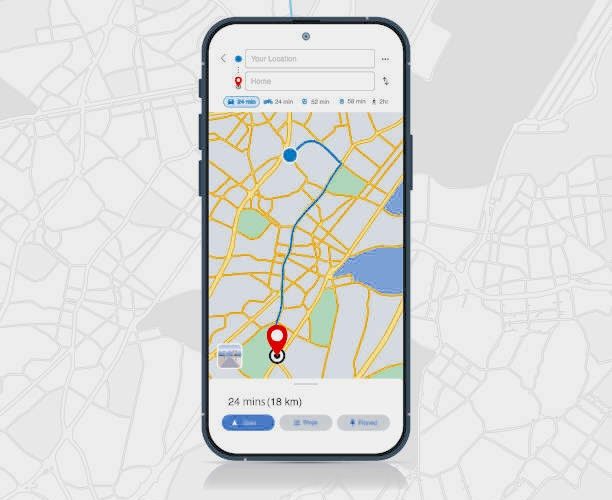

Best Mobile Number Trackers to Track a Phone Number (Safe & Legal Guide)
There are many reasons you might want to track a phone number — locating your own lost device, checking your child’s safety, identifying an unknown caller, or verifying suspicious activity. While the internet is full of “free mobile number trackers,” not all of them work as advertised, and many raise privacy concerns.
This guide breaks down safe, legal, and realistic ways to track a phone number, focusing on:
- Tools that help you locate your own device
- Tools that help parents locate their child’s device
- Caller‑ID and number‑lookup tools
- GPS‑based trackers that require consent
- Why some “free trackers” can only show registration regions
- How SpyZee fits into safe parental monitoring
Important Safety & Legality Reminder
Tracking someone’s phone without their knowledge and consent is illegal in most countries.
This guide focuses ONLY on:
- Tracking your own phone
- Tracking your child’s phone (parents have legal rights)
- Tracking a family member’s phone with permission
- Identifying unknown callers
- Understanding the limitations of number‑lookup tools
This article does not support or encourage unauthorized tracking.
Is It Really Possible to Track a Phone Number’s Location?
Yes — but with important limitations.
There are three main categories of mobile number trackers:
1. Online Free Trackers (Registration Lookup Only)
These tools can show:
- The region where the number was registered
- The carrier
- The country or state
They cannot show real‑time GPS location.
Examples include:
- Mobile Locator
- Scannero
2. Caller‑ID / Reverse Lookup Tools
These tools identify:
- Caller name
- Public records
- Social media profiles
- Spam risk
They do not provide live location.
Examples include:
- Truecaller
- Spokeo
- Number Guru
3. GPS‑Based Mobile Number Trackers (Require Consent)
These apps send a location‑sharing request via SMS. The other person must tap the link to share their location.
Examples include:
- Mobile Phone Number Tracker
- Phone Number Location Tracker
- Phone Tracker by Number
These tools cannot track someone secretly.
5 Best Free Mobile Number Trackers (Online Tools)
These tools are useful for identifying unknown callers or checking the registration region of a number. They are not GPS trackers.
1. Mobile Locator
Mobile Locator is a free online tool that shows:
- Registered location
- Carrier information
- Country and region
It uses PL tracking technology based on GSM and UMTS base stations.
Pros
- Works in 100+ countries
- No ads
- 24/7 support
Cons
- Slow to generate reports
- Only shows registration region, not live location
2. Scannero
Scannero.io provides:
- Registered region lookup (free)
- GPS location (paid, requires consent)
It sends a location‑sharing link to the target device.
Pros
- Fast region lookup
- Simple interface
Cons
- Exact GPS location requires payment
- Some users report inaccurate results
- You can send a location request for free using other apps
3. Truecaller
Truecaller is a caller‑ID database that identifies:
- Caller names
- Spam callers
- Public profile information
It does not use GPS.
Pros
- Large global database
- Spam protection
Cons
- Requires access to your contacts
- Data accuracy varies
- App may cause glitches on some devices
4. Spokeo
Spokeo is a U.S.‑based reverse lookup tool that pulls data from:
- Public records
- Social media
- Mailing lists
Pros
- Detailed background information
- Works with names, emails, and addresses
Cons
- U.S. only
- Not always accurate
- Relies heavily on social media data
5. Number Guru
Number Guru identifies:
- Caller names
- Spam risk
- Publicly available data
Pros
- Free
- Community‑based reporting
Cons
- Often shows “unknown”
- May prompt for paid reports
- Location accuracy is limited
5 Best Mobile Number Tracker Apps (GPS‑Based, Consent Required)
These apps can show real‑time location, but only when the other person approves the request. They are useful for:
- Tracking your own phone
- Tracking your child’s phone
- Family location sharing
They cannot track someone secretly.
1. Mobile Phone Number Tracker (Android & iOS)
This app sends a location‑sharing request via SMS. Once the user taps the link, you can see their location on a map.
Pros
- Uses GPS, Wi‑Fi, GSM, and IP data
- Works on both platforms
Cons
- Requires consent
- SMS sometimes fails to send
- Mixed user reviews
2. Phone Number Location Tracker (iOS)
Similar to the above, this app requests GPS location via SMS.
Pros
- Simple interface
- Uses multiple geolocation methods
Cons
- Inaccurate results reported
- Does not work if the user ignores the link
- VPNs can distort location
3. Mobile Number Tracker & Locator (Android)
This app is designed for Indian numbers only.
Pros
- Shows carrier and state
- Free
Cons
- Location often inaccurate
- Only works in India
4. Mobile Number Locator
A reverse lookup tool that identifies:
- Caller details
- Registered city
- Spam calls
Pros
- Free
- Useful for call management
Cons
- Only shows city, not GPS
- Many ads
- Inconsistent results
5. Phone Tracker by Number
This app claims to provide GPS tracking but requires:
- SMS link approval
- App installation
Cons
- Flooded with ads
- Often fails to track location
- Requires multiple steps
Best Mobile Tracker to Ensure Your Child’s Safety
While online number‑lookup tools and GPS‑based trackers can help identify callers or request location sharing, they are not designed for ongoing family safety. Parents who want to monitor their child’s location responsibly need a tool built specifically for:
- Real‑time tracking
- Location history
- Geofencing
- Safety alerts
- Remote surroundings checks
This is where parental‑control apps stand out.
One such tool is SpyZee Parental Control, which provides a safe, legal, and transparent way for parents to track their child’s device.
SpyZee Parental Control (Android & iOS)
SpyZee is designed for families who want to keep children safe both online and offline. Unlike number‑lookup tools, SpyZee does not rely on phone number tracking. Instead, it uses:
- GPS
- Wi‑Fi positioning
- Device‑level permissions
This ensures accurate, real‑time location updates — with full parental consent.
Key Features of SpyZee for Child Safety
1. Real‑Time Location Tracking
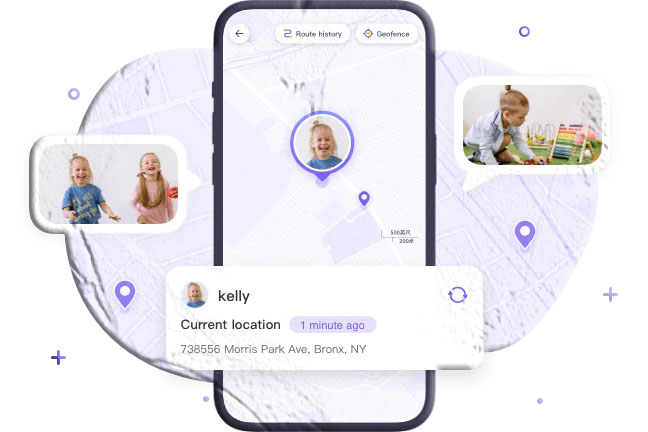
Parents can see their child’s current location at any moment, displayed clearly on a map.
2. Location History
SpyZee stores past routes and visited places, helping parents understand daily routines and spot unusual patterns.
3. Geofencing Alerts
Create safe zones such as:
- Home
- School
- After‑school activities
Receive instant alerts when your child enters or leaves these areas.
4. Low‑Battery Notifications
SpyZee alerts parents when the child’s device battery is low, giving time to act before the phone shuts off.
5. Remote Surroundings Check
With consent, parents can:
- Listen to ambient sounds
- View the camera feed
- Check the environment during emergencies
6. Cross‑Platform Support
Works on:
- Android
- iOS
- Web dashboard
SpyZee is not a phone‑number tracker — it is a family safety tool designed to protect children responsibly.
Why Parents Track Their Child’s Device
Tracking a child’s phone is not about control — it’s about safety. Today’s digital world exposes children to risks that didn’t exist a decade ago.
Here are the most common reasons parents choose to track their child’s device.
1. Preventing Emergencies
Children may:
- Get lost
- Miss the bus
- Wander into unsafe areas
- Forget to check in
Location tracking helps parents respond quickly.
2. Protecting Against Online Predators
Predators often contact children through:
- Text messages
- Social media
- Anonymous apps
Knowing where your child is — and who they interact with — helps prevent dangerous situations.
3. Monitoring Daily Routines
Parents can confirm:
- School arrival
- After‑school activities
- Travel routes
- Unexpected detours
This builds peace of mind.
4. Encouraging Healthy Digital Habits
Parental‑control apps help parents:
- Set screen‑time limits
- Block harmful apps
- Monitor risky behavior
- Teach responsible phone use
5. Preventing Oversharing of Personal Information
Children may unknowingly share:
- Home addresses
- School names
- Daily schedules
- Photos with location metadata
Tracking tools help parents intervene early.
Can You Track a Phone Using IMEI? (Important Limitations)
Many people believe that the IMEI number can be used to track a phone’s real‑time location. In reality, IMEI tracking is not available to regular users.
What IMEI Can Do
- Identify the device on mobile networks
- Help carriers block a stolen phone
- Assist law enforcement
What IMEI Cannot Do
- Provide real‑time location to the public
- Track a phone secretly
- Locate a phone without carrier involvement
Who Can Track IMEI?
Only:
- Mobile carriers
- Law enforcement agencies
And usually only with:
- A police report
- Legal authorization
If your phone is stolen, you can contact your carrier for assistance.
Conclusion
Mobile number trackers can be helpful — but only when used safely, legally, and with realistic expectations. Online tools can identify caller details or show the registration region of a number, but they cannot track real‑time GPS location.
For parents, the most reliable and ethical way to track a child’s device is through a parental‑control app like SpyZee, which offers:
- Real‑time location
- Location history
- Geofencing
- Low‑battery alerts
- Remote surroundings checks
These tools help parents protect their children while promoting trust, communication, and healthy digital habits.
Whether you’re identifying unknown callers, locating your own device, or ensuring your child’s safety, the tools in this guide provide safe and responsible solutions.
FAQs About Mobile Number Tracking
1. Can I track someone’s phone number without their consent?
No. Tracking someone without permission is illegal. You can only track your own device or your child’s device.
2. Can online number trackers show real‑time location?
No. They can only show the registered region, not live GPS data.
3. What is the safest way to track my child’s phone?
Using a parental‑control app like SpyZee, which provides accurate GPS tracking and safety alerts.
4. Can I track a phone using IMEI?
Only carriers and law enforcement can use IMEI for tracking, and usually only with legal authorization.
5. Do GPS number trackers work without consent?
No. They require the user to tap a location‑sharing link.
6. What’s the best free mobile number tracker?
Tools like Mobile Locator, Scannero, and Truecaller can identify caller details, but they cannot track real‑time location.
7. Can SpyZee track a phone number directly?
No. SpyZee tracks the device, not the number — and only with parental consent.
8. What should I use to track my own lost phone?
Use built‑in tools like:
- Find My Device (Android)
- Find My iPhone (Apple)



Add comment