

Introduction
Parents want to know their children are safe when they are not nearby. Modern phones include powerful sensors—microphones and cameras—that, when used responsibly, can help caregivers check on a child’s immediate environment. This guide explains how live surroundings monitoring works, what features are commonly available, how to set up monitoring using SpyZee as an example, and how to interpret and act on what you hear or see. The focus is practical and neutral: explain capabilities, outline setup steps, highlight legal and ethical boundaries, and offer troubleshooting and communication strategies that preserve trust while improving safety.
What Live Surroundings Monitoring Means
Live surroundings monitoring refers to the ability to remotely access a phone’s microphone or camera to hear or view the environment around the device in real time, or to record ambient audio for later review. Common features include:
- Live listening (one-way audio): remotely activating the microphone to hear ambient sounds without initiating a call.
- Ambient recording: capturing audio snippets or scheduled recordings that are saved for later playback.
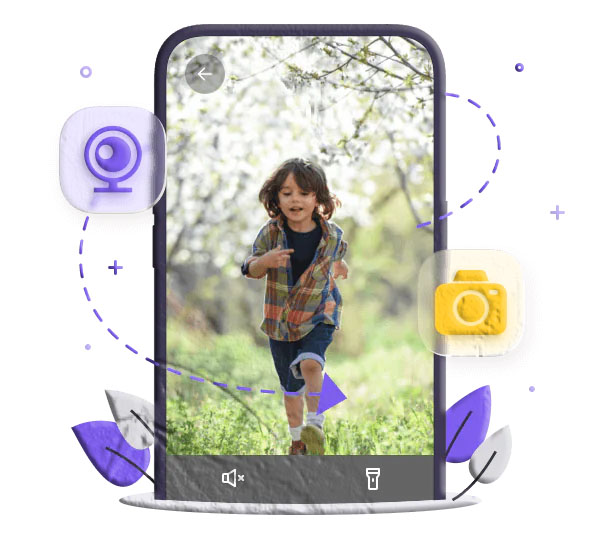
- Remote camera access: viewing live video from the device’s front or rear camera and sometimes controlling the flashlight for visibility.
- Scheduled monitoring: setting times for automatic recordings or checks.
- Control panel access: a parent-facing dashboard where recordings and live feeds are managed.
These capabilities can be used to confirm a child’s safety, verify a caregiver’s presence, or gather context during an emergency. They are powerful tools and should be used with clear boundaries and legal awareness.
Why Parents Consider Live Surroundings Monitoring
Parents choose live monitoring for several practical reasons:
- Immediate reassurance: hearing a child’s surroundings can quickly confirm they are safe when you cannot be there in person.
- Emergency response: live audio or video can help determine whether a situation requires urgent intervention.
- Caregiver oversight: when a child is with a babysitter, relative, or group leader, monitoring can verify that the environment is appropriate.
- Support for vulnerable family members: children with special needs or elderly relatives may benefit from occasional checks to ensure their environment is safe.
- Evidence collection: recordings can document incidents such as bullying, harassment, or threats that require follow-up.
Used thoughtfully, these features provide situational awareness that complements other safety measures like location sharing and open communication.
Core Features Explained
Live Listening (One-Way Audio)
Live listening activates the target device’s microphone so a caregiver can hear ambient sounds in real time. This is one-way: the parent listens without the child’s device ringing or showing an active call. It’s useful for quickly checking whether a child is in a noisy, calm, or potentially dangerous environment.
Ambient Recording
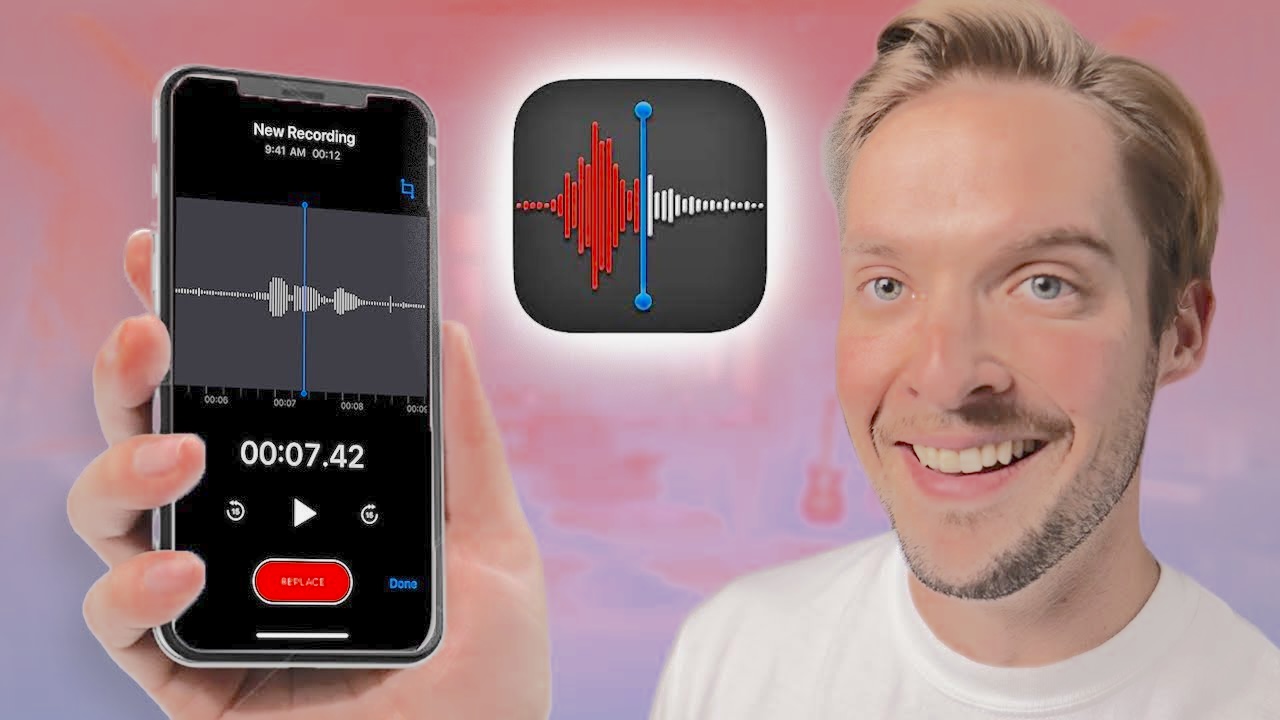
Ambient recording captures audio clips that are stored in the parent’s control panel for later review. Recordings can be started manually or scheduled to run at set times. File formats and retention policies vary by app.
Remote Camera Access
Remote camera access streams video from the device’s front or rear camera. Some implementations allow toggling between cameras and turning on the flashlight for low-light conditions. Video provides visual context that audio alone cannot.
Scheduled Monitoring
Scheduling lets parents set recurring or one-off recording windows—useful for checking during specific times such as after school or during a babysitter’s shift.
Notifications and Alerts
Many monitoring solutions include alerts that notify a parent when a scheduled recording completes, when a live session starts, or when unusual ambient noise levels are detected.
How Live Surroundings Monitoring Works (Technical Overview)
Monitoring apps rely on permissions and background services to access microphones and cameras. The general technical flow is:
- Permissions granted on the target device: the monitoring app must be installed on the child’s phone and given explicit permissions to access the microphone and camera.
- Secure pairing: the parent’s device is linked to the child’s device through an account and a binding process (code, QR scan, or login).
- Remote command: when a parent initiates live listening or camera access from the control panel, a secure command is sent to the child’s device.
- Activation and streaming/recording: the device activates the microphone or camera and streams audio/video or records it locally and uploads it to the parent’s dashboard.
- Storage and playback: recordings are stored in the parent’s account for playback, subject to the app’s retention policy.
Because these features interact with sensitive hardware, apps must follow platform rules (Android and iOS) and device settings. On iOS, some capabilities are limited by the operating system’s privacy model; on Android, background access and permissions are more flexible but still governed by user consent.
Setting Up Live Surroundings Monitoring with SpyZee (Example Workflow)
The following is a general, parent-focused setup flow using SpyZee as the example monitoring solution. Exact screens and wording may vary by app version and device OS.
- Create a monitoring account
- Search for SpyZee on Google Play or the Apple App Store and follow the publisher’s sign-up instructions. Use a secure email and a strong password.
- Install the parent app
- Install SpyZee on the device you will use to monitor (your phone or tablet) and sign in.
- Prepare the child’s device
- Install the companion app on the child’s phone. During installation, grant the app the permissions it requests for microphone and camera access. On Android, this typically includes runtime permissions for microphone and camera and the ability to run in the background. On iOS, available features depend on the operating system and app integration.
- Pair the devices
- Use the app’s binding process to link the child’s device to your account. This may involve entering a code shown on the parent app or scanning a QR code on the child’s device.
- Configure monitoring preferences
- Choose whether to enable live listening, ambient recording, and remote camera access. Set schedules for automatic recordings if desired.
- Test the connection
- Perform a short live listening session and a brief camera check to confirm audio and video appear in your control panel. Verify that recordings save correctly.
- Set notifications and retention
- Configure alerts for completed recordings and set how long recordings are retained in your account.
- Secure the account
- Enable two-factor authentication if available and use a strong password. Limit account access to trusted caregivers.
This workflow emphasizes parental control and responsible setup. Always follow the app publisher’s official instructions for the most current steps.
Legal and Ethical Considerations
Monitoring a device’s microphone or camera raises significant legal and ethical issues. Before enabling live surroundings monitoring, consider the following:
- Consent and local law: laws vary widely by country and region. Parents generally have the right to monitor minor children’s devices, but monitoring adults without their consent can be illegal. Check local regulations and, when in doubt, seek legal guidance.
- Age and maturity: younger children are typically monitored more closely; older teens may expect greater privacy. Consider discussing monitoring openly with older children to maintain trust.
- Purpose and proportionality: use monitoring to protect and support, not to control or punish. Limit monitoring to situations where it serves a clear safety purpose.
- Data security: recordings and live feeds are sensitive. Use strong account security, limit who can access recordings, and delete recordings when they are no longer needed.
- Transparency with caregivers: if someone else is caring for your child, inform them about monitoring policies and how recordings will be used.
- Platform rules: follow the terms of service for app stores and device manufacturers; some platforms restrict covert recording or require explicit on-screen indicators.
These considerations protect both the child’s safety and the family’s legal standing. Responsible use balances safety with respect for privacy.
Practical Scenarios and How to Use Monitoring Responsibly
Scenario: Late-Night Worry
If a parent receives a message that a child is out late and feels uneasy, a short live listening session can confirm whether the child is in a noisy public place, a quiet home, or an unknown environment. Use the information to decide whether to call, pick them up, or ask for more details.
Scenario: Babysitter Check-In
When a child is with a new babysitter, scheduled ambient recordings during the first hour can confirm that the caregiver is present and that the environment is calm. If recordings reveal concerning behavior, address it promptly with the caregiver and consider alternative arrangements.
Scenario: Special Needs Support
For children with medical or behavioral needs, live listening can help caregivers detect distress or unusual sounds that indicate a need for immediate attention. Combine monitoring with an emergency plan and local support contacts.
Scenario: Evidence of Harassment
If a child reports bullying or harassment, ambient recordings can document repeated incidents. Preserve recordings securely and follow local procedures for reporting to schools or authorities.
In every scenario, prioritize short, targeted monitoring sessions and follow up with supportive conversations rather than punitive actions.
Privacy, Safety, and Data Management
Handling recordings responsibly is essential:
- Limit retention: keep recordings only as long as necessary to address the safety concern. Delete files once they are no longer needed.
- Secure storage: use strong passwords and two-factor authentication for the monitoring account. Avoid sharing account credentials.
- Access control: restrict who can view recordings to trusted caregivers.
- Encryption and publisher policies: review the app publisher’s privacy policy to understand how recordings are stored and whether they are encrypted in transit and at rest.
- Incident reporting: if recordings reveal illegal activity or immediate danger, contact local authorities and preserve evidence according to legal guidance.
Treat monitoring data with the same care you would give medical or financial records.
Troubleshooting Common Issues
- No audio or video during live session: confirm microphone and camera permissions on the child’s device and that the app is allowed to run in the background. Check network connectivity on both devices.
- Delayed recordings: initial syncs can take time; ensure both devices have stable internet connections and allow a few minutes for uploads.
- Low audio quality: background noise, distance from the device, or microphone obstructions can reduce clarity. Position the device closer to the area you want to monitor when possible.
- Camera access blocked: on some devices, camera access may be restricted by the operating system or by other apps. Verify permissions and that no other app is actively using the camera.
- Battery drain: frequent live sessions or scheduled recordings can reduce battery life. Balance monitoring frequency with battery management and consider charging the device during scheduled checks.
- App updates and compatibility: keep both parent and child apps updated to the latest versions to ensure compatibility and security.
If problems persist, consult the app publisher’s support resources or the app store listing for troubleshooting guides.
Balancing Monitoring with Trust
Monitoring should be part of a broader approach that includes conversation, education, and clear expectations.
- Explain the purpose: tell children why monitoring is in place—safety, emergency response, and support—not punishment.
- Set boundaries: agree on when monitoring will occur and what will trigger it. For older children, consider a written family agreement.
- Use findings constructively: present recordings as factual context and ask open questions rather than making accusations.
- Teach self-advocacy: help children learn how to handle uncomfortable situations and how to contact trusted adults.
- Gradually reduce monitoring: as children demonstrate responsibility, scale back monitoring to encourage independence.
This approach preserves dignity and builds digital maturity.
Ethical Red Lines: When Not to Use Live Monitoring
Certain uses are inappropriate or illegal:
- Monitoring adults without consent: do not use live listening or camera access to surveil adults who have not given explicit permission.
- Covert surveillance for control: avoid using recordings to manipulate or coerce family members.
- Recording in private spaces without consent: be cautious about recording in spaces where others expect privacy, such as bathrooms or changing areas.
- Using recordings for public shaming: never publish or share recordings to embarrass or punish someone.
Respecting these boundaries protects relationships and legal standing.
Device and Battery Considerations
Live monitoring interacts with device hardware and power:
- Battery impact: microphone and camera use consume power; frequent sessions shorten battery life. Schedule checks when the device is likely to be charged.
- Storage space: recordings consume storage; monitor retention and delete old files to free space.
- Performance: older devices may struggle with background recording; consider device capability when planning monitoring frequency.
- Network usage: streaming video uses significant data; be mindful of cellular data limits and prefer Wi‑Fi when possible.
Plan monitoring routines that fit the device’s capabilities and the family’s data plan.
When to Involve Authorities
Recordings that reveal immediate danger, threats, or criminal activity should prompt contacting local emergency services. Preserve recordings securely and provide them to authorities as requested. If recordings show ongoing harassment or abuse, follow local reporting procedures for schools, law enforcement, or child protection agencies.
Frequently Asked Questions
What is ambient recording and how is it different from live listening? Ambient recording captures audio clips that are saved for later playback. Live listening streams audio in real time so you can hear what is happening at the moment. Both require microphone permission on the target device.
Can I remotely turn on a phone’s microphone without the child knowing? Technically, some monitoring solutions allow one-way audio without an on-screen call indicator. However, legal and ethical rules vary; parents should follow local laws and consider transparency with older children.
Will live camera access show up on the child’s phone screen? Behavior depends on the app and device. Some apps show no visible indicator, while others display a notification. Platform rules and app design determine whether the child sees an active camera indicator.
Is it legal to record audio or video of my child? Parents generally have the right to monitor minor children’s devices, but laws differ by jurisdiction. Monitoring adults without consent is often illegal. Check local regulations and consult legal counsel if unsure.
How long are recordings stored? Retention policies vary by app. Configure retention settings where possible and delete recordings when they are no longer needed.
Can recordings be used as evidence? Recordings can support reports of harassment or abuse, but legal standards for admissibility vary. Preserve original files and consult authorities or legal counsel when submitting recordings as evidence.
Does monitoring work when the device is offline? Live streaming requires an internet connection. Some apps can record locally while offline and upload when the device reconnects, but this depends on the app’s design.
How do I protect the monitoring account? Use a strong, unique password, enable two-factor authentication if available, and limit account access to trusted caregivers.
Alternatives and Complementary Measures
Live surroundings monitoring is one tool among many. Consider combining it with:
- Location sharing: real-time location helps you know where a child is and complements audio/video context.
- Scheduled check-ins: regular calls or messages can reduce the need for covert monitoring.
- Emergency contacts: ensure the child has quick access to trusted contacts and local emergency numbers.
- Parental controls: use device-level controls for app access, screen time, and content filtering.
- Education: teach children how to recognize danger, report concerns, and protect their privacy.
A layered approach increases safety while supporting independence.
Best Practices for Parents
- Use monitoring sparingly and purposefully. Limit sessions to situations where you need immediate context or verification.
- Document serious incidents securely. If recordings reveal abuse or threats, preserve files and contact authorities.
- Communicate with older children. Explain monitoring policies and agree on boundaries to maintain trust.
- Review and delete recordings regularly. Keep only what you need for safety or evidence.
- Keep software updated. Ensure both parent and child apps are current to maintain security and compatibility.
- Respect other people’s privacy. Avoid recording other adults or children without consent unless there is a clear safety reason.
These practices help parents use monitoring responsibly and effectively.
Final Checklist Before You Start Monitoring
- Confirm local laws and consent requirements.
- Install the parent and child apps from official app stores.
- Grant microphone and camera permissions on the child’s device.
- Pair devices securely and test live listening and camera access.
- Configure schedules, notifications, and retention settings.
- Secure the monitoring account with a strong password and two-factor authentication.
- Plan how you will discuss monitoring with your child and caregivers.
- Decide who has access to recordings and how long they will be kept.
Following this checklist reduces surprises and helps ensure monitoring serves its intended safety purpose.
Closing Notes
Live surroundings monitoring can provide valuable context when a child’s safety is uncertain. When implemented with clear purpose, legal awareness, and respect for privacy, features like ambient recording, live listening, and remote camera access become tools that help caregivers respond quickly and thoughtfully. SpyZee is mentioned here as an example of a monitoring solution; search for SpyZee on Google Play or the Apple App Store to review the publisher’s current setup instructions and feature list. Use monitoring as part of a broader strategy that includes communication, education, and appropriate technical controls.