
Mobile phones have become essential tools for communication, safety, and daily life. For many parents, giving a child a phone is a way to stay connected and ensure they can reach help when needed. But as children become more independent, it can be challenging to know where they are — especially when concerns like cyberbullying, online predators, and unsafe environments are part of modern parenting.
Sometimes, parents need to track a child’s phone location without installing additional software. Maybe the child resists the idea of being tracked. Maybe the parent cannot physically access the device. Or perhaps the goal is simply to use built‑in tools rather than third‑party apps.
Fortunately, both Android and iPhone devices include official, secure, and free ways to locate a phone without installing extra software. This guide explores five proven methods, rewritten entirely from scratch, to help you track a cell phone’s location using only built‑in features or official services.
Part 1: Why You May Need to Track a Cell Phone Without Installing Software
There are many legitimate reasons why someone may want to track a phone without installing an app:
- Your child refuses to install a tracking app but you still want to ensure their safety.
- You cannot access the device physically, such as when your child is away from home.
- You want to avoid rooting or jailbreaking the device.
- You prefer using official tools rather than third‑party apps.
- You want to track from any device, including a computer or tablet.
Whatever the reason, the methods below allow you to track a phone’s location using only built‑in features — no downloads required.
Part 2: 5 Proven Ways to Track a Cell Phone Location Without Installing Software
These methods rely on official services from Google, Apple, Samsung, and wireless carriers. They are secure, widely used, and do not require installing additional apps on the target device.
1. Track an Android Phone Using Google Find My Device
Google Find My Device is one of the most effective ways to locate an Android phone without installing software. It comes pre‑installed on all Android devices and works as long as:
- The device is signed into a Google account
- Location services are enabled
- The phone is connected to the internet
How to Use Google Find My Device
- Visit the official website: https://www.google.com/android/find
- Sign in using the Google account linked to the phone.
- Select the device from the list.
- The phone’s location will appear on a map.
- You can also ring, lock, or erase the device remotely.
Pros
- Works instantly
- No installation required
- Provides real‑time location
Limitations
- Requires Google account access
- Location must be enabled on the device
2. Track a Phone Using Google Maps Location History
Google Maps includes a feature called Timeline, which records the device’s location history when enabled. This method is useful when you want to see where the phone has been throughout the day, even if it’s not currently online.
How to Use Google Maps Timeline
- Open Google Maps on the target phone and ensure:
- Location is ON
- Location History is ON
- Visit: https://www.google.com/maps/timeline
- Sign in with the same Google account.
- Select a date to view the phone’s movement history.
Pros
- Shows past locations
- Works even if the phone is offline
Limitations
- Requires Google account access
- Location updates may be delayed
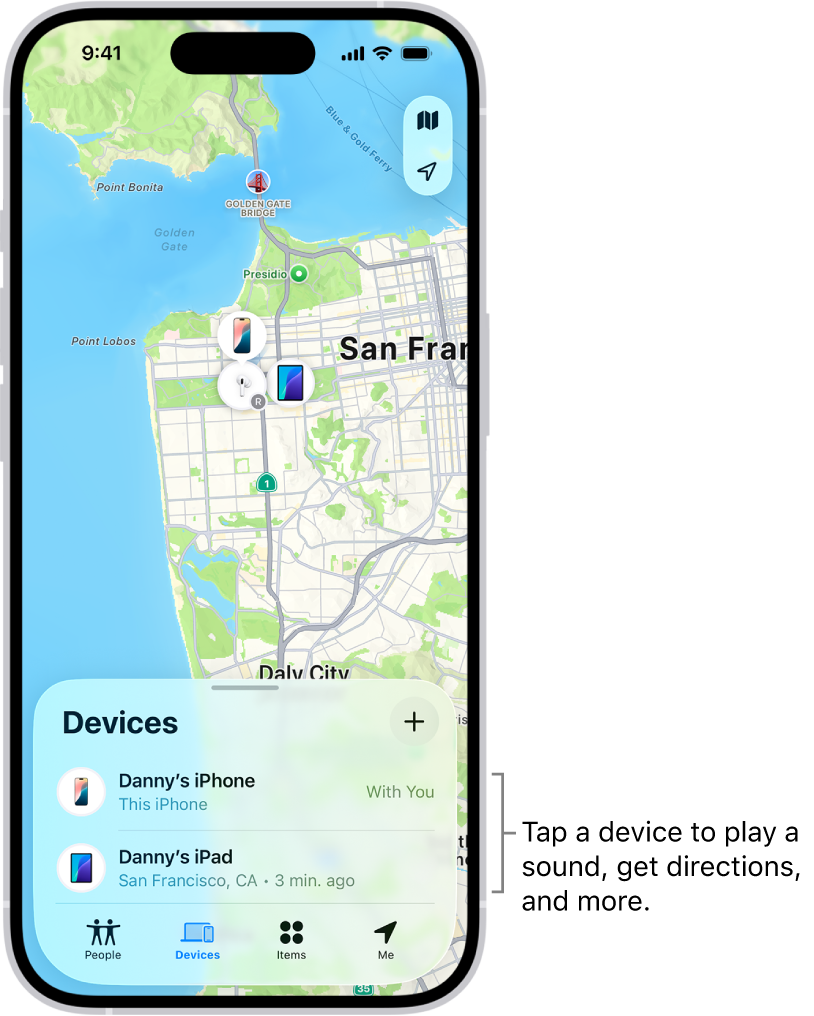
3. Track an iPhone Using Apple’s iCloud Find My
If the phone you want to track is an iPhone, Apple’s Find My service is the most reliable method. It works through iCloud and does not require installing any software.
How to Use iCloud to Track an iPhone
- Visit https://www.icloud.com
- Sign in with the Apple ID linked to the phone
- Click Find My iPhone
- Select the device from the list
- View its location on the map
Pros
- Works even if the phone is offline
- Built into all Apple devices
Limitations
- Requires Apple ID and password
- Two‑factor authentication may be required
4. Track a Samsung Phone Using Samsung Find My Mobile
Samsung devices include an additional tracking service called Find My Mobile, which works alongside Google’s tracking tools. It uses Samsung account credentials and can locate the device even when offline in some cases.
How to Use Samsung Find My Mobile
- Visit:
https://findmymobile.samsung.com - Log in with the Samsung account linked to the phone
- Select the device
- View its location on the map
Pros
- Works specifically for Samsung devices
- Includes remote lock and erase options
Limitations
- Only works if the feature was enabled
- Requires Samsung account access
5. Track a Phone Using Wireless Carrier Services
Many wireless carriers offer location‑tracking services that use cell tower triangulation. These services can locate a phone even if GPS is disabled.
Examples include:
- AT&T Family services
- Verizon location tools
- T‑Mobile location services
These services typically require:
- Account verification
- Permission from the account holder
- Device information
Pros
- Works even if GPS is off
- Uses carrier network data
Limitations
- Accuracy varies
- Requires carrier account access
Part 3: Protecting Privacy While Tracking a Phone
Tracking a phone’s location is a sensitive matter. Even when done for safety, it’s important to respect privacy and use these tools responsibly.
Here are general principles to follow:
- Use strong passwords for Google, Apple, and Samsung accounts
- Enable two‑factor authentication
- Communicate openly with children when appropriate
- Use tracking only for safety and legitimate purposes
Frequently Asked Questions
Can I track a phone without the person knowing?
Official tools require account access, so transparency is recommended — especially with children.
Can I track a phone using only the phone number?
No. Phone numbers alone cannot provide location access.
Can I track a phone that is turned off?
You can see the last known location using Google Find My Device or Apple Find My.
Do I need to install an app to track a phone?
Not if you use built‑in tools like Google Find My Device, iCloud, or Samsung Find My Mobile.
Can I track a phone from another phone?
Yes. All methods listed work on any device with a browser.
Conclusion
Tracking a cell phone location without installing software is entirely possible using built‑in tools from Google, Apple, Samsung, and wireless carriers. These methods are secure, reliable, and accessible from any device. Whether you’re a parent wanting to ensure your child’s safety or someone trying to locate a lost phone, these official services provide effective solutions without requiring additional apps.