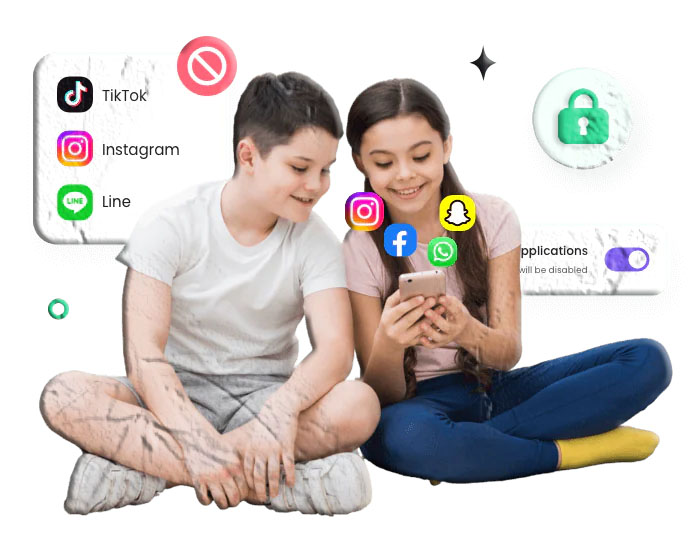

Screens are everywhere — from smartphones and tablets to gaming consoles and smart TVs. While technology offers incredible learning opportunities, too much screen time can affect children’s sleep, attention span, behavior, and overall well‑being. Many parents struggle to balance digital access with healthy habits, especially as kids become more independent.
Screen time apps can help families set boundaries, create routines, and guide children toward mindful device use. This article highlights 10 of the best screen time apps available on the Google Play Store and Apple App Store, rewritten entirely from scratch and designed to help parents manage device use safely and effectively.
How We Selected the Best Screen Time Apps
To create this list, we evaluated dozens of apps based on:
Ease of Use
Parents need intuitive dashboards, and kids need interfaces that don’t feel overwhelming.
Cross‑Platform Compatibility
Apps must work smoothly on Android, iOS, or both.
Screen Time Features
We prioritized apps that offer:
- Daily limits
- App‑specific controls
- Downtime schedules
- Activity reports
- Content filtering (where available)
Value
Some apps are free, while others offer affordable premium plans. All apps listed are available on official app stores.
Top Screen Time Apps for Kids’ Android Phones
Below are four excellent screen‑time management apps available on the Google Play Store.
1. Google Family Link (Android & iOS)
Google Family Link is one of the most widely used screen‑time tools for Android devices. It’s free, easy to use, and built directly into the Google ecosystem.
Key Features
- Set daily screen time limits
- Create app‑specific time restrictions
- Schedule bedtime and downtime
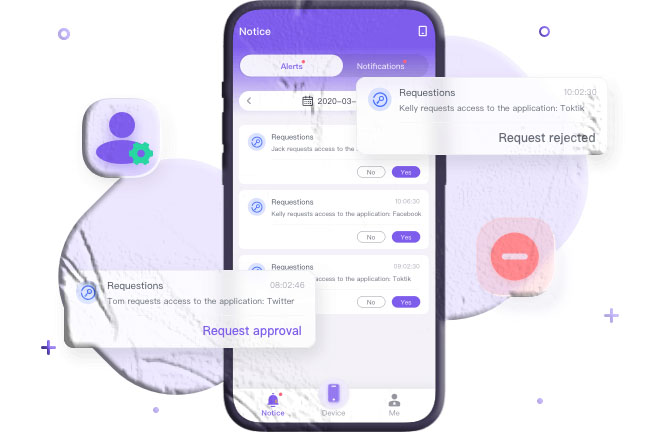
- Approve or block app downloads
- View activity reports
- Track device location
Pros
- Completely free
- Works across Android and iOS
- Strong parental controls
Cons
- Some features vary depending on device model
Download Links
- Google Play Store:
https://play.google.com/store/apps/details?id=com.google.android.apps.kids.familylink - Apple App Store:
https://apps.apple.com/app/google-family-link/id1150085200
2. Samsung Kids (Samsung Devices Only)
Samsung Kids is a built‑in feature on Samsung phones and tablets that creates a safe digital environment for younger children.
Key Features
- Set daily usage limits
- Restrict access to apps
- Approve new content
- Built‑in educational games
- Activity reports
Pros
- Integrated into Samsung devices
- Kid‑friendly interface
- No additional downloads required
Cons
- Only available on Samsung devices
Download Link
3. Norton Family (Android & Windows)
Norton Family offers robust screen‑time and web‑supervision tools for families with older children.
Key Features
- Daily screen time limits
- App usage monitoring
- Web filtering
- School‑time mode
- Location tracking
Pros
- Strong web‑filtering tools
- Ideal for school‑aged children
Cons
- Limited iOS functionality
Download Link
- Google Play Store:
https://play.google.com/store/apps/details?id=com.symantec.familysafety
4. Screen Time Parental Control (Android)
This app focuses specifically on managing device use and creating healthy digital routines.
Key Features
- Daily screen time limits
- Task‑based rewards
- App blocking
- Bedtime schedules
- Activity reports
Pros
- Simple interface
- Effective for younger children
Cons
- Some features require a subscription
Download Link
- Google Play Store:
https://play.google.com/store/apps/details?id=com.screentime.rc
Top Screen Time Apps for Kids’ iPhones
Below are four excellent screen‑time apps available on the Apple App Store.
5. Apple Screen Time (Built‑In)
Apple Screen Time is built directly into iOS and offers powerful tools for managing device use.
Key Features
- App limits
- Downtime schedules
- Content restrictions
- Activity reports
- Family Sharing integration
Pros
- Free and built‑in
- No installation required
- Reliable and easy to use
Cons
- Limited cross‑platform support
6. OurPact (iOS & Android)
OurPact is a popular parental control app with strong screen‑time scheduling tools.
Key Features
- Daily screen time limits
- App blocking
- Family routines (bedtime, study time)
- Location tracking
- Web filtering
Pros
- Flexible scheduling
- Works across multiple devices
Cons
- Some features require a subscription
Download Links
- Apple App Store:
https://apps.apple.com/app/ourpact-parental-control-app/id954029412 - Google Play Store:
https://play.google.com/store/apps/details?id=com.parentsware.ourpact
7. Bark (iOS & Android)
Bark is known for its online safety tools, but it also includes screen‑time management features.
Key Features
- Screen time schedules
- App blocking
- Web filtering
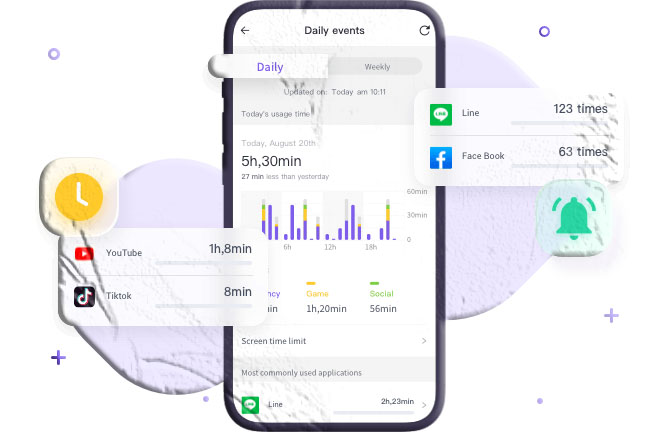
- Activity alerts
- Device‑wide downtime
Pros
- Strong online safety features
- Useful for older kids and teens
Cons
- Some alerts may be overly sensitive
Download Links
- Apple App Store:
https://apps.apple.com/app/bark-parental-controls/id1337760237 - Google Play Store:
https://play.google.com/store/apps/details?id=com.bark.parentalcontrols
8. FamiSafe (iOS & Android)
FamiSafe offers a wide range of parental controls, including screen‑time management.
Key Features
- Smart schedules
- App usage limits
- Web filtering
- Location tracking
- Activity reports
Pros
- Works across multiple platforms
- Frequent updates
Cons
- Some features may not track perfectly on all devices
Download Links
- Apple App Store:
https://apps.apple.com/app/famisafe-parental-control-app/id1426355645 - Google Play Store:
https://play.google.com/store/apps/details?id=com.wondershare.famisafe
Additional Screen Time Apps Worth Considering
Below are two more apps that offer helpful screen‑time tools for families.
9. Canopy (iOS & Android)
Canopy focuses on digital safety but includes screen‑time and app‑blocking features.
Key Features
- App blocking
- Screen time limits
- Web filtering
- Activity reports
Download Links
- Apple App Store:
https://apps.apple.com/app/canopy-parental-control/id1526619761 - Google Play Store:
https://play.google.com/store/apps/details?id=org.canopy.us
10. Safe Lagoon (Android)
Safe Lagoon is designed for Android users and includes screen‑time and online safety tools.
Key Features
- App blocking
- Screen time limits
- Location tracking
- Activity monitoring
Download Link
- Google Play Store:
https://play.google.com/store/apps/details?id=com.safelagoon.parental
How Much Screen Time Is Too Much for Kids?
The American Academy of Pediatrics (AAP) recommends:
- Under 18 months: Avoid screens except for video calls
- 18–24 months: Limited, high‑quality content with a caregiver
- Ages 2–5: About 1 hour of non‑educational screen time per weekday
- Ages 6+: Consistent limits based on family values and routines
Most children exceed these guidelines, which is why screen‑time apps can help families create healthier habits.
Frequently Asked Questions
Do screen time apps work on both Android and iPhone?
Some do, but others are platform‑specific. Always check compatibility before installing.
Can kids bypass screen time apps?
Teens may attempt workarounds, but reputable apps include safeguards to prevent tampering.
Are screen time apps safe?
Apps from the Google Play Store and Apple App Store follow strict policies and are safe to use.
Do I need to pay for screen time apps?
Many apps offer free features, while advanced tools may require a subscription.
Which app is best for younger children?
Samsung Kids and Apple Screen Time are excellent for younger users due to their simplicity.
Conclusion
Managing screen time is an essential part of raising children in a digital world. With the right tools, families can create healthy routines, reduce distractions, and encourage meaningful offline activities. The apps listed above offer reliable, parent‑friendly ways to guide children’s digital habits on both Android and iPhone.