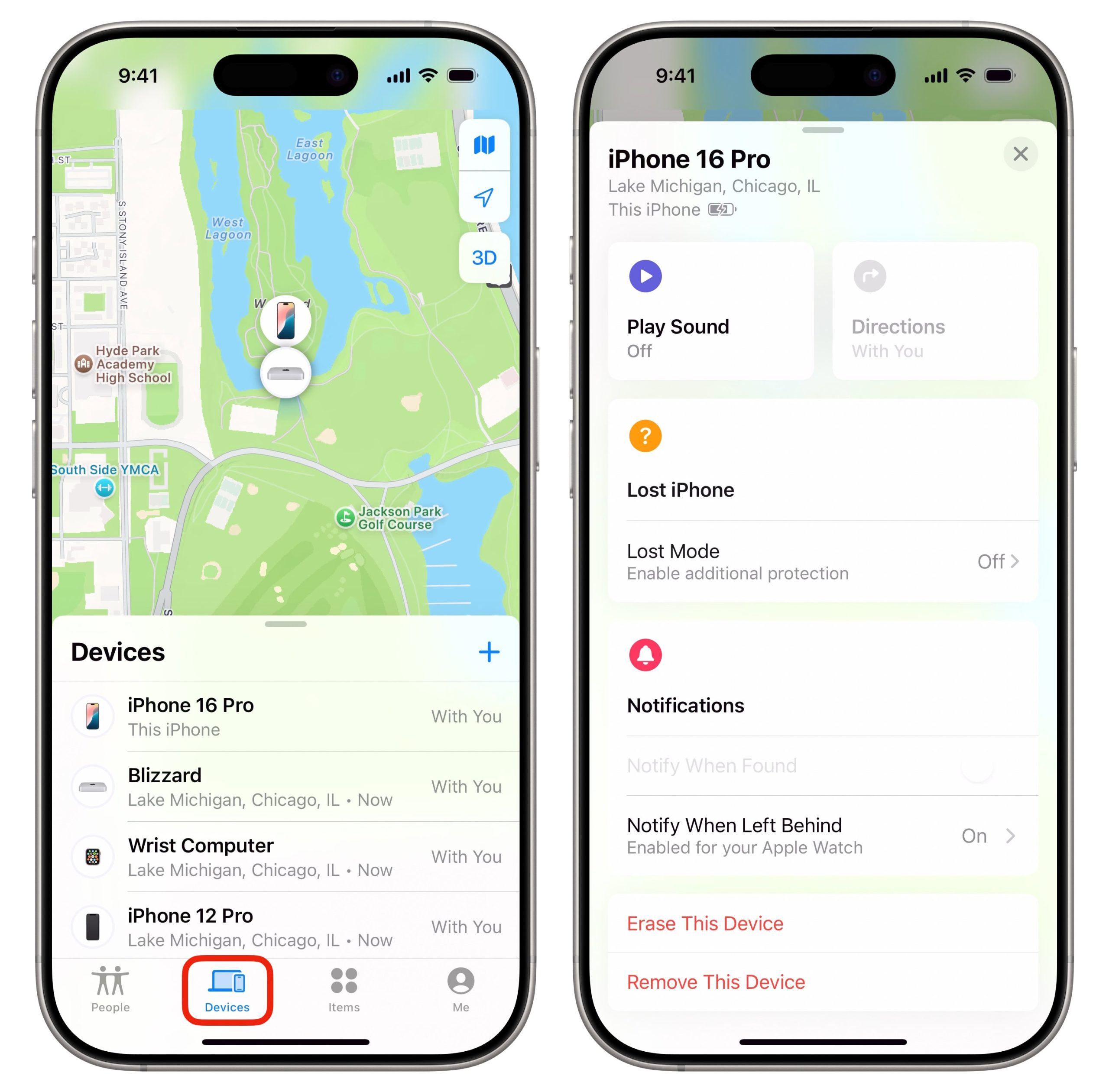

Losing an iPhone is stressful, but losing it when the battery is dead or the device is powered off can feel even more overwhelming. Apple introduced a major upgrade to the Find My network in iOS 15, claiming that certain iPhones can still be located even when turned off. You may have seen the message “iPhone Findable After Power Off” when shutting down your device.
But does Find My actually work when the phone is off? Can you track a powered‑down iPhone in real time?
This guide breaks down how Find My works, what Apple’s claims really mean, and what you can realistically expect when trying to locate an iPhone that is powered off.
Does Find My iPhone Work When the Phone Is Off?
The short answer: No — Find My cannot show the live location of an iPhone that is fully powered off.
You can only see:
- The last known location before the device turned off
- A location reported by nearby Apple devices if the phone supports low‑power Bluetooth tracking
But you cannot track:
- Real‑time movement
- Updated locations while the phone remains off
- A device that has been offline for an extended period
Real‑World Test: What Actually Happens When an iPhone Is Off
To understand how Find My behaves in real life, I tested it using an iPhone 14 with Bluetooth, Wi‑Fi, and cellular enabled.
Test Summary
- Before shutting down, the device displayed “iPhone Findable After Power Off.”
- After powering off, Find My did not update the device’s location.
- The device icon turned black, indicating it was offline.
- Only the last known location was visible — even after 15 hours.
- As soon as the iPhone was powered on, the location updated instantly.
This matches what many Apple users have reported: Find My does not provide continuous tracking when the phone is off.
Why Does Apple Say Find My Works When the Phone Is Off?
Apple’s documentation states that you can locate devices that are “offline or powered off.” This is technically true — but only under specific conditions.
How It Works
iPhones from the iPhone 11 series onward contain a low‑power Bluetooth chip that remains active briefly after shutdown. This allows the device to:
- Emit a Bluetooth signal
- Be detected by nearby Apple devices
- Have its location relayed through the Find My network
This process is:
- Anonymous
- Encrypted
- Crowdsourced
But There Are Limitations
- The phone must have battery remaining
- Bluetooth must be enabled before shutdown
- The device must not be forcibly powered off
- The low‑power mode only lasts for a limited time
- The phone cannot update its location if no nearby Apple devices detect it
In other words, Find My can sometimes help — but it is not guaranteed.
How to Find an iPhone That Is Powered Off
Even though Find My cannot track a powered‑off iPhone in real time, there are still several steps you can take to increase your chances of recovering it.
1. Check the Last Known Location
Find My stores the last known location for up to 24 hours. This is often the most useful clue when searching for a lost device.
How to Check
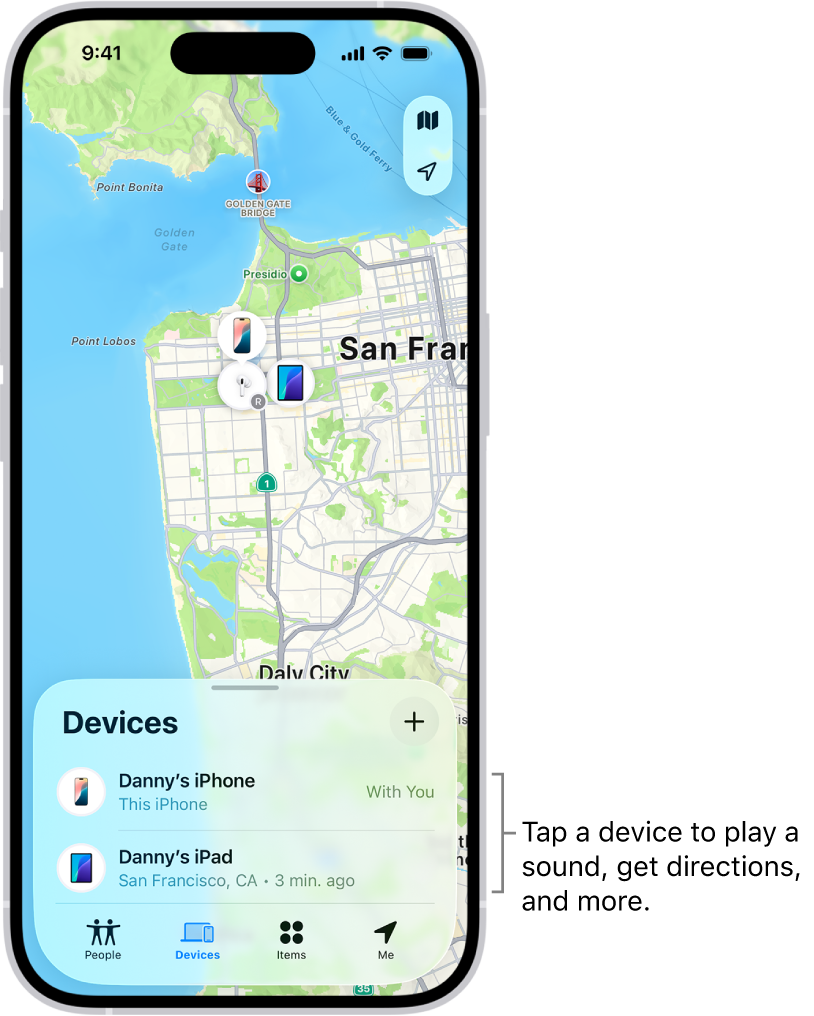
- Open the Find My app on another Apple device
- Or visit https://www.icloud.com/find
- Select your iPhone
- View the map for the last known location
If the device turns on later, the location will update automatically.
2. Mark the iPhone as Lost
Lost Mode is one of the most important tools for protecting your data and increasing the chances of recovery.
What Lost Mode Does
- Locks the device with a passcode
- Displays a custom message and contact number
- Prevents unauthorized access
- Enables tracking when the device turns on
How to Activate Lost Mode
- Open Find My or visit icloud.com/find
- Select your iPhone
- Tap Mark As Lost
- Enter a phone number and message
This ensures that anyone who finds your device can contact you.
3. Erase the Device Remotely (If Necessary)
If you believe your iPhone is stolen or at risk, you can erase it remotely.
How to Erase
- Open Find My
- Select your device
- Tap Erase This Device
This removes all personal data but keeps Activation Lock enabled, preventing others from using the device.
4. Contact Your Carrier
Your mobile carrier can:
- Suspend your service
- Prevent unauthorized usage
- Flag the device as lost
This step is especially important if your phone contains sensitive information.
5. File a Police Report
If you believe your iPhone was stolen, reporting it to local authorities creates an official record. This can help if the device is recovered later.
6. Let Others Know Your iPhone Is Lost
Posting on social media or informing friends and family can help spread awareness. Sometimes, lost devices are returned by people who recognize the owner.
Avoid Scams: No Third‑Party Service Can Track a Powered‑Off iPhone
You may encounter websites or apps claiming they can:
- Track a dead iPhone
- Locate a powered‑off device
- Bypass Apple’s security
These claims are false.
Only Apple’s Find My network can locate an iPhone — and even it has limitations.
Frequently Asked Questions
Can Find My track an iPhone with no battery?
No. Once the battery is fully drained, the device cannot broadcast Bluetooth signals.
How long does Find My work after the phone is turned off?
Only for a limited time, depending on battery level and hardware.
Can thieves disable Find My?
Only if they know your passcode. Activation Lock prevents them from using the device.
Does airplane mode disable Find My?
Yes. Airplane mode disables all wireless communication.
Can I track my iPhone using only the phone number?
No. Phone numbers cannot be used for location tracking.
Final Words
Apple’s Find My network is powerful, but it is not magic. While newer iPhones can sometimes be detected briefly after being powered off, you cannot track a powered‑off iPhone in real time. The best strategy is to monitor the last known location, activate Lost Mode, and wait for the device to turn on.